











Alternatives to Philips Hue Smart Bulbs: 2026 Guide
Table of Contents
- Why Consider Alternatives to Philips Hue Smart Bulbs
- Smart Lighting Hub vs Hubless: Which Setup Works for You
- Budget-Friendly Smart Bulb Options That Actually Last
- Smart Lighting for Landlords: Practical Alternatives
- Compatibility Matters: Wi-Fi vs Zigbee Smart Bulbs
- What to Look for in Smart Bulb Alternatives
- Frequently Asked Questions
Last Updated: October 2, 2026
Why Consider Alternatives to Philips Hue Smart Bulbs
Philips Hue dominates the smart lighting market, but it’s not the only option, and for many households, alternatives to Philips Hue smart bulbs make more practical sense. The core issue isn’t that Hue is bad; it’s that the ecosystem locks you into their hub, their app, and their pricing structure. If you’re building a smart home from scratch or replacing existing lighting, you deserve to know what else is available.
At Ledlam, we stock a range of smart lighting solutions and help customers find the right fit for their needs. Some people need Hue’s reliability and colour range. Others find the cost prohibitive or prefer a simpler setup. A few want to avoid vendor lock-in altogether. This guide walks through the real trade-offs so you can make an informed choice rather than defaulting to the market leader.
The decision usually comes down to three factors: whether you want a hub-based or hubless system, your budget, and what you’re actually trying to do with the lights. A landlord managing multiple properties has different priorities than a homeowner building a premium lighting experience. Understanding those differences will save you money and frustration.
Smart Lighting Hub vs Hubless: Which Setup Works for You
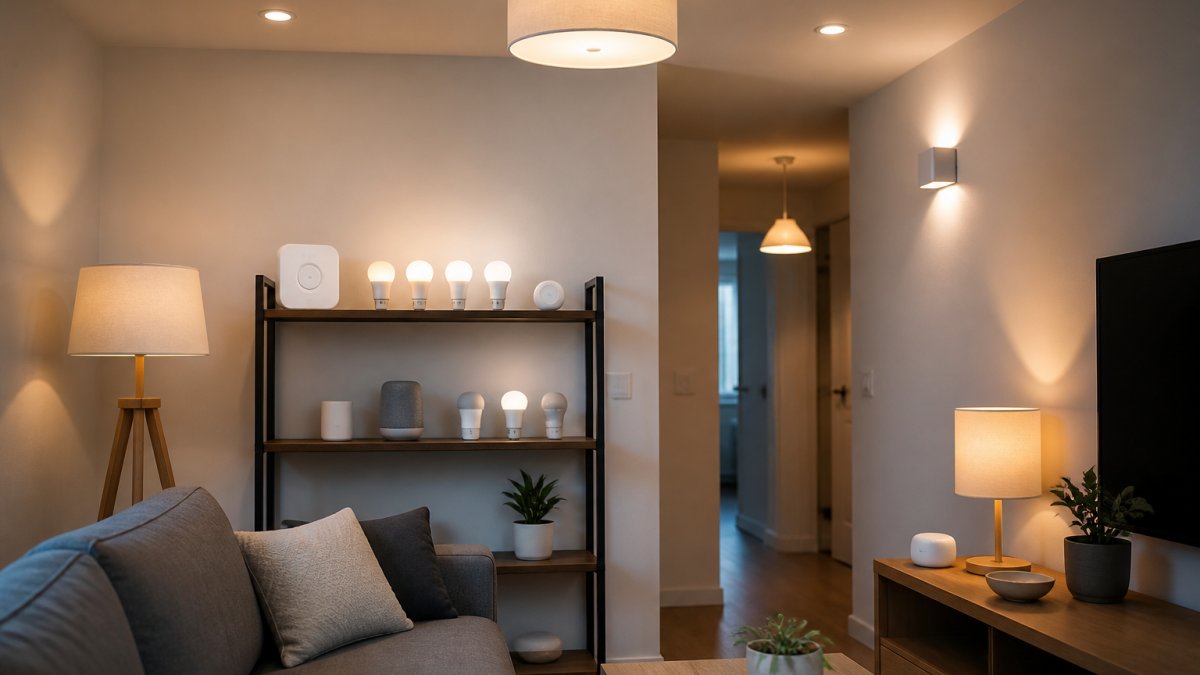
A hub-based system uses a central device that communicates with your bulbs, whilst hubless systems rely on Wi-Fi or Bluetooth directly from your phone. Each approach has genuine strengths and weaknesses.
Hub-based systems (like Philips Hue) offer better reliability and range. The hub sits centrally in your home and maintains a stronger connection to each bulb, even if your Wi-Fi signal is weak in certain rooms. You can automate routines without your phone present, and the system keeps working even if your internet drops briefly. The trade-off is an extra device to buy, set up, and maintain. It also means you’re committed to that manufacturer’s ecosystem.
Hubless systems skip the extra hardware. You control bulbs directly via Wi-Fi or Bluetooth, which feels simpler on the surface. Setup is faster, and you’re not locked into a single brand’s hub. The downside: reliability suffers in larger homes or areas with spotty Wi-Fi. Automations often require your phone to be on the same network, and some features vanish if your internet goes down. For a small flat or a single room, hubless works fine. For a whole house, the hub approach usually performs better.
The decision depends on your home size and how serious you are about automation. If you want lights to turn on automatically when you arrive home, a hub handles that reliably. If you just want to dim lights from bed using an app, hubless is simpler and cheaper.
Budget-Friendly Smart Bulb Options That Actually Last
Cost is the biggest barrier to smart lighting adoption. Philips Hue bulbs cost more than traditional LED bulbs, and the hub adds to the initial outlay. If budget is your main concern, several alternatives exist.
Generic Wi-Fi smart bulbs from less-known manufacturers often cost half as much as Hue. They work with common platforms like Alexa or Google Home, which means you’re not locked into a single app. The catch is inconsistent build quality. Some work reliably for years; others flicker, drop connection, or fail within months. You’re essentially gambling on durability when you buy an unfamiliar brand.
A practical middle ground is choosing bulbs from established lighting manufacturers that now offer smart versions. These brands have been making bulbs for decades, so they understand longevity. Their smart bulbs cost less than Hue but more than no-name alternatives, and they’re far more likely to last. They also tend to integrate with major platforms rather than forcing you into their own ecosystem.
When evaluating budget options, look at warranty length and return policies. A cheap bulb with a one-year warranty is a false economy if it dies after 14 months. Ledlam stocks a range of smart lighting at different price points, and we’re happy to advise on which options offer genuine value rather than just the lowest price tag.
The temptation with smart bulbs is to buy the cheapest option and see what happens. Resist it. A bulb that fails after six months costs more in hassle and replacement than spending a bit more upfront on something reliable.
Smart Lighting for Landlords: Practical Alternatives
Landlords face a unique problem: tenants won’t tolerate unreliable lighting, but you can’t justify premium smart systems in rental properties. You need alternatives to Philips Hue that are affordable, durable, and don’t require complex setup.
The best approach for rental properties is often the simplest: standard LED bulbs with smart switches rather than smart bulbs. A smart switch replaces your existing wall switch and controls any bulb you put in the fitting. This means tenants can use ordinary bulbs if the smart switch fails, and you can upgrade the switch without replacing every bulb in the property. It’s more resilient and costs less than swapping out every bulb.
Another practical option is Zigbee-based smart bulbs, which use a mesh network rather than relying on individual Wi-Fi connections. Zigbee bulbs work together to extend range and reliability across a property. They’re less flashy than Hue, no colour-changing options, usually just white light, but they’re more durable and less prone to connection drops. For a landlord, that’s often a better trade-off.
The key is choosing systems that work even when tenants don’t actively manage them. A light that turns on automatically at dusk and off at midnight provides genuine value without requiring tenant engagement. Avoid systems that demand a dedicated app or frequent manual updates.
Ledlam can help you source smart switches and bulbs suited to rental properties. We understand the constraints landlords face and can recommend options that balance cost, reliability, and tenant satisfaction.
Compatibility Matters: Wi-Fi vs Zigbee Smart Bulbs
This is where many people stumble. You buy a smart bulb, bring it home, and it won’t connect to anything you already own. Understanding the difference between Wi-Fi and Zigbee systems prevents that frustration.
Wi-Fi bulbs connect directly to your home network like any other device. They’re straightforward: buy a bulb, add it to your app, done. The drawback is that Wi-Fi uses more power, so smart bulbs are larger and more expensive. They also drain your router’s bandwidth slightly. In a home with dozens of connected devices, that adds up.
Zigbee bulbs use a separate, lower-power wireless protocol. They form a mesh network, meaning each bulb strengthens the signal for others. A Zigbee system feels stronger because bulbs communicate with each other rather than all relying on your router. The trade-off is that you need a Zigbee hub to control them, similar to Philips Hue. Once you have the hub, adding bulbs is cheap.
The practical difference: if you want one or two smart bulbs in a small space, Wi-Fi is simpler. If you want a whole-home system that scales reliably, Zigbee usually performs better. Wi-Fi bulbs are easier to move between homes; Zigbee systems are more expensive to set up but cheaper to expand.
Compatibility also matters with voice assistants. Most Wi-Fi bulbs work with Alexa and Google Home. Zigbee bulbs often require a compatible hub that supports those platforms. Before buying, check that your chosen bulbs actually work with the assistant or platform you use.
What to Look for in Smart Bulb Alternatives
When evaluating alternatives to Philips Hue smart bulbs, a few practical criteria will narrow your options.
Brightness and colour accuracy matter if you care about how light looks. Not all smart bulbs produce the same quality of white light. Some are too yellow; others feel harsh. If you’re replacing bulbs in a room where you spend a lot of time, test the light quality before committing to a whole set. Lumens (brightness) and colour temperature (warm vs. cool white) are the specs to compare.
Integration with your existing ecosystem is crucial. If you use Alexa, buy bulbs that work with Alexa. If you prefer Google Home, choose accordingly. Avoid buying a system that requires its own dedicated app if you already have a smart home setup. Compatibility saves frustration later.
Dimming capability should work smoothly without flickering. This is where cheap alternatives often fail. Test a single bulb in a dimmer-controlled fitting before buying a set. Some bulbs flicker at certain brightness levels, which is annoying and suggests poor quality.
Lifespan and warranty indicate durability. A bulb rated for 25,000 hours of use should last several years in normal use. Check the warranty; a reasonable length is important for a smart bulb. If the manufacturer won’t stand behind their product, that’s a red flag.
Setup complexity matters if you’re not technically confident.
Frequently Asked Questions
Are there cheaper alternatives to Philips Hue bulbs?
Yes, several alternatives cost considerably less while offering similar features. Budget options work well for basic colour-changing and scheduling functions. However, cheaper alternatives may have shorter lifespans or less reliable dimmer compatibility. The key is matching features to what you actually need, you don’t always need premium pricing for reliable smart lighting. At Ledlam, we stock a range of smart bulbs at different price points; contact us to discuss what offers the best value for your setup.
Do I need a hub for smart lighting alternatives?
Not necessarily. Wi-Fi-enabled smart bulbs connect directly to your home network without a hub, making setup simpler. Zigbee bulbs require a hub or bridge to function. Hubless systems are easier to install but may use more power and have shorter range. Hub-based systems are more reliable over larger areas and use less energy per bulb. Choose hubless if you want simplicity; choose hub-based if you want reliability and control over multiple rooms.
What is the difference between Zigbee and Wi-Fi smart bulbs?
Zigbee bulbs use a mesh network and require a hub to operate, offering better range and lower power consumption. Wi-Fi bulbs connect directly to your home network and need no hub, but they use more power and may struggle with range in large homes. Zigbee is more reliable for whole-house automation; Wi-Fi is simpler for small setups. Your choice depends on your home size and how many bulbs you’re controlling.
Are budget smart bulbs reliable for long-term use?
Budget smart bulbs can be reliable if you buy from established retailers and check for proper certifications. Common issues include dimmer incompatibility and shorter lifespans. Many budget options last 15,000 to 25,000 hours, which is reasonable for occasional use. Read reviews carefully before buying, and buy from reputable suppliers who offer returns if a bulb fails early. Ledlam stocks reliable smart bulbs at competitive prices with proper support if you need help choosing.